The Complete SEO Playbook for Photographers
Everything you need to rank on page one, book more clients, and build a photography business that runs on organic search. 11 chapters built from 15 years of ranking a real photography studio with zero ad spend.
This is not a generic SEO guide written by a marketing generalist. Every strategy in this playbook comes from a real photography business in a real market. Pasha Belman Photography ranks on page one in Myrtle Beach for every core local search term, built entirely on organic SEO with zero paid advertising. This is the exact system that made it happen.
Table of Contents
- How Google Actually Works
- Keyword Research for Photographers
- Site Architecture That Google Loves
- On-Page SEO: Titles, Headers, and Content
- Fixing Keyword Cannibalization
- Blog Strategy That Builds Rankings
- Google Business Profile: Your Local Ranking Weapon
- Schema Markup for Photographers
- Showit and WordPress SEO Specifics
- Tracking Your Rankings and Knowing What’s Working
- The 90-Day Action Plan

Chapter 01: How Google Actually Works
I had no idea what SEO was when I started my photography business. I knew I needed a website. I knew it should look good. So I built something beautiful, put my best images on it, and waited. The phone did not ring the way I expected. Most of my early work came from referrals, word of mouth, people who already knew me.
Then one day a client told me something that changed how I thought about my business. She said she had looked at ten photographers before booking me. She typed Myrtle Beach wedding photographer into Google and started clicking. I came up first. That was the only reason I was on her list. Within a year, Google became my primary source of new clients. Not referrals. Not Instagram. Not ads. Google. And I have never spent a dollar on advertising. That is what this guide is about.
Beauty is for clients. Structure is for Google. You need both.
What Google Is Actually Doing
Google has a program called a crawler. Think of it as a robot that visits websites constantly, reading every page it can find, following every link. When it visits your site it reads your content, looks at how your pages connect, checks how fast your site loads, and notes what other sites link back to yours. It stores all of this in a massive index.
When someone types Myrtle Beach wedding photographer into Google, the search engine looks through that index and figures out which pages are the most relevant and trustworthy answers to that query. It ranks them in order and shows the top results. Your job is to make sure your pages are in that index, that they clearly signal what they are about, and that Google has enough reason to trust them.
The Three Things Google Always Evaluates
- Relevance. Does your page actually answer what the person searched for? If someone searches for a Myrtle Beach wedding photographer and your page says wedding photography with no mention of a location, Google has no reason to show it to someone searching locally.
- Authority. Does Google trust your site? Trust is built over time through other websites linking to yours, through a consistent history of quality content, and through technical signals that tell Google your site is well-maintained.
- Experience. Is your site fast, easy to use, and readable on a phone? A slow site or a site that breaks on mobile loses ground to competitors who have sorted these things out.
Why a Beautiful Website Is Not Enough
Google cannot see your photos. It cannot appreciate your editing style or your composition. It reads text, code, and structure. A gorgeous website with no crawlable text, no location signals, and no technical foundation is invisible to Google no matter how impressive it looks to a human visitor. I have audited photography websites that had won design awards and ranked nowhere. And I have seen simple, well-structured pages outrank them consistently because they gave Google exactly what it needed.
Why SEO Beats Ads Every Time
Paid ads stop the moment you stop paying. When your budget runs out, your visibility disappears. You are renting attention, not building anything. SEO is the opposite. Every improvement you make compounds. A page that ranks today keeps ranking tomorrow, next month, next year. Someone who finds you through organic search was actively looking for exactly what you offer and chose to click on you. That person arrives warmer, more ready, and easier to convert. SEO works while you sleep. It compounds over time. And it attracts clients who are already looking for you.

Chapter 02: Keyword Research for Photographers
My keyword research strategy when I started was simple. I typed things into Google and watched what came up in the suggestions dropdown. Whatever Google autocompleted, I figured someone was searching for it. It was crude. But it was not wrong. The core instinct, pay attention to what real people actually type into Google, is exactly right. Where most photographers go wrong is not in how they research keywords. It is in how they use them once they have them.
The Trap of Writing About Everything
The most common keyword mistake I see from photographers is treating their blog like a journal. Write about every session. Cover every topic. Post consistently and hope something sticks. The problem is that scattered content builds scattered authority. Google sees fifty blog posts all pulling in different directions and has no clear picture of what your site is about. You end up ranking weakly for a lot of things instead of strongly for the things that actually bring in clients.
Keyword research is not about finding more topics to write about. It is about finding the specific phrases your ideal clients type into Google when they are ready to book, and building your site around those phrases with intention.
How to Think About Keywords as a Photographer
- Service keywords are searches from people who know what they want and are looking for someone to hire. Myrtle Beach wedding photographer. Family photographer in Pawleys Island. These are your money keywords. The people searching them are comparing options and getting ready to book.
- Informational keywords are searches from people in research mode. What to wear for family photos. Best beaches for engagement photos in South Carolina. These people are not ready to book yet but they are heading that way. Your blog should target these and lead back to your service pages.
How to Find Your Keywords Using SEMrush
Type your core service keyword into the SEMrush Keyword Overview tool. Look at three things: monthly search volume, keyword difficulty, and related keywords. For local photography keywords in most markets, you will see difficulty scores between 20 and 50. These are very winnable with a well-optimized page.
The Free Version of This Process
Google autocomplete. Start typing your service keyword into Google and stop before you hit enter. The dropdown suggestions are real searches real people have made. Every suggestion is a keyword. People Also Ask. Search your primary keyword and scroll to the People Also Ask box. Every question there is something your potential clients are actively searching. Between autocomplete and People Also Ask you can build a solid keyword list without spending a dollar.
The Rule: One primary keyword per page, supported by natural variations. Your wedding page owns one keyword. Your family page owns another. None of these pages try to rank for each other’s keywords. This sounds obvious. In practice almost every photography site I audit violates it.

Chapter 03: Site Architecture That Google Loves
When I built my first photography website I did not think about structure at all. I thought about design. Structure never crossed my mind because I did not know it mattered. It matters more than almost anything else. Site architecture is the way your pages are organized, connected, and labeled. It determines whether Google can find and understand all of your content, which pages carry the most authority, and whether your blog is helping or hurting your service pages.
The Hub and Spoke Model
Every service you offer has one strong hub page. That hub page is the definitive resource on that service in your market. Everything else, your blog posts and location variations, are spokes that connect back to that hub. Your wedding hub page targets Myrtle Beach wedding photographer. Then your blog produces spokes. Posts about venues, timelines, and what to expect. Each post targets its own informational keyword and links back to your wedding hub page. Every link from a spoke to a hub passes authority upward and tells Google that the hub page is the most important destination for wedding photography on your site.
How to Decide Which Pages You Need
Start with your services. Every service you actively offer gets its own hub page. Wedding, family, senior, engagement, headshot, maternity. Each one is a separate page with its own primary keyword. Then consider your markets. Every city you actively shoot in with meaningful search volume deserves its own location page. Smaller communities get woven into the content of those larger pages rather than getting their own.
Clean URL Structure and Internal Linking
Your wedding page lives at yoursite.com/myrtle-beach-wedding-photographer. Your family page lives at yoursite.com/myrtle-beach-family-photographer. Each URL describes the page clearly with no random strings of numbers. Go through every page and make sure every URL is descriptive and keyword-relevant.
Internal links are one of the most powerful structural tools available and most photography sites use them almost not at all. Every page on your site should link to at least two or three other relevant pages. Every hub page should receive links from multiple other pages. Build this habit into every piece of content you create.

Chapter 04: On-Page SEO — Titles, Headers, and Content
Before I understood SEO my page titles were whatever sounded good. Capturing Your Most Beautiful Moments. Love Stories Told Through Light. They were poetic. They were meaningless to Google. And they were costing me rankings every single day. On-page SEO is everything that goes on a page itself. The title. The headers. The body copy. The meta description. The image alt text. Get them right and your pages become visible.
The Page Title Formula
Keyword + City + Brand. Myrtle Beach Wedding Photographer | Pasha Belman Photography. That title tells Google exactly what the page is about in the first three words. Under 60 characters so it displays fully in search results. Keyword first, always. Clever does not rank. Clear does.
The H1 and Opening Paragraph
Your H1 is the main heading on the page. Every page gets exactly one. It should match or closely mirror your primary keyword. Make sure it contains your primary keyword and that only one element on the page carries that H1 tag. The first paragraph of your service page should lead with your primary keyword naturally in the first sentence. Establish the keyword, add a location variation, and include a credibility signal all in one opening line.
Page Length and Meta Descriptions
The sweet spot for a photography service page is 800 to 1200 words. That is long enough for Google to understand the page is a genuine resource. Most photography service pages are 150 words or less. That is not enough for Google to understand what the page is about or why it should rank above competitors who have built more comprehensive pages.
A meta description does not directly affect your ranking. What it does affect is your click-through rate. Write it like an ad. Lead with the benefit. Include the keyword naturally. End with a call to action. Keep it under 155 characters. For image alt text, write descriptive keyword-relevant descriptions for every image on your service pages. Every blank alt text field is a missed opportunity.

Chapter 05: Fixing Keyword Cannibalization
When I audited my own site I found something that stopped me cold. I had more than twelve blog posts all competing with my family photography service page. Every single one targeting some variation of Myrtle Beach family photographer. I had spent years building content thinking I was helping my rankings. What I was actually doing was splitting Google’s attention across thirteen pages all fighting for the same territory. This is keyword cannibalization. It is the most common silent ranking problem I find on photography sites.
The photographers most likely to have cannibalization are the ones who have been blogging the hardest.
What It Is and How to Diagnose It
Keyword cannibalization happens when two or more pages on your site target the same keyword. Google has to decide which page to rank. When it cannot determine a clear winner it often ranks neither page well, splitting whatever authority exists between them. The fastest way to find cannibalization is Google Search Console. Open the Performance report. Filter by a keyword you are trying to rank for. Look at the Pages tab. If more than one URL is appearing for that query, you have cannibalization.
The Fixes That Work
- Canonical tags. Tell Google which page is the authority. I added canonical tags to all twelve competing blog posts pointing them at my main family photography service page. Within a couple of months the family page started climbing.
- Rewrite the post. If a blog post could serve a different informational keyword, rewrite it so it no longer competes with your service page.
- Redirect to the service page. If a post has no unique value and no traffic, redirect it to the service page with a 301 redirect.
- Delete the post. If a post is very thin, has zero traffic, and targets a keyword your service page owns, deleting it is sometimes the cleanest solution.
Fix this before you write another blog post. More content without fixing cannibalization just makes the problem worse.

Chapter 06: Blog Strategy That Builds Rankings
For years I blogged whenever I felt like it. No plan, no keyword research, no strategy. The turning point was realizing that the content driving the most organic traffic was not session recaps. It was location guides and venue features. Posts about specific beaches, parks, and wedding venues in the Myrtle Beach area. That pattern was not an accident once I understood it. It became a system.
Every blog post needs a target keyword before you write a single word. Not after. Not during. Before. That one habit eliminates the risk of cannibalization from new content.
The Content Types That Work for Photographers
- Location guides are the strongest performers. Best beaches for family photos in Myrtle Beach. Top wedding venues on the Grand Strand. These posts target searches from people actively planning and looking for a photographer who knows the area.
- Preparation guides are the second strongest. What to wear for Myrtle Beach family photos. How to prepare for your senior portrait session. These posts answer the questions every client asks before they book.
- Venue and vendor features build relationships with venues and attract couples already considering that location.
- Session recaps are the weakest performers from an SEO standpoint. Post them if you enjoy them. Just do not count on them to build rankings.
Frequency, Internal Links, and the Content Calendar
Two to three posts per month is the sustainable target. At that pace, built around a keyword map, in two years you have a content library that covers every major search term in your market. Every single blog post you publish should contain at least one internal link back to the relevant service page. A simple spreadsheet with four columns is your entire content strategy: post title, target keyword, target service page it links to, and publish date. Fill it out one quarter at a time.

Chapter 07: Google Business Profile — Your Local Ranking Weapon
Most photographers treat their Google Business Profile like a directory listing. Fill it in once, forget about it, move on. I have done the opposite for years. I actively manage mine with posts, updates, and fresh photos regularly. Your GBP is the single most powerful local SEO tool available to you and it is completely free. It determines whether you appear in the map pack, those three business listings that show up above the organic results when someone searches for a local photographer.
Setting Up Your Profile Correctly
- Business name. Use your exact legal business name. Do not stuff keywords into your business name. Google can suspend your profile for this.
- Primary category. Use Photographer as your primary category. Add secondary categories like Wedding Photographer and Portrait Photographer to cover your specific services.
- NAP consistency. Your name, address, and phone number must match exactly everywhere they appear online. Pick one format and use it everywhere without exception.
- Service areas. List every city you actively serve.
Photos, Reviews, and GBP Posts
Upload at least 20 photos when you first set up your profile. Add new photos every week or two. Name each photo descriptively before uploading. Reviews are the single biggest factor in local pack rankings. Ask every client directly, in person, right after the session when their excitement is highest. Then send the direct review link immediately. Publish at least two GBP posts per month. Most photographers have never published a single GBP post. Every post you publish is a differentiator in your market.
NAP Audit: Search your business name in Google and look at every place it appears. Write down exactly how your name, address, and phone appear on each one. Fix every inconsistency. NAP consistency is a foundational local ranking signal.

Chapter 08: Schema Markup for Photographers
I had no idea schema markup existed for the first several years of running my photography business. When I finally learned what it was and started implementing it I understood immediately why it mattered. Schema is the difference between Google guessing what your business is and Google knowing exactly what your business is. That difference shows up directly in your search results in ways that make your listing stand out from every competitor on the page.
What Schema Actually Is
Schema markup is structured code you add to your pages that speaks directly to Google in a language it understands perfectly. Google uses that structured information to display rich results. Star ratings appearing under your page title. FAQ answers expanding directly in search results without the user clicking through. These rich results make your listing visually larger and more clickable than plain listings without schema.
The Three Schema Types Every Photography Site Needs
- LocalBusiness schema is the foundation. It goes on every page and tells Google the core facts about your business including your name, address, phone, website, hours, and aggregate rating. This enables star ratings in your search results.
- Service schema goes on each individual service page. It tells Google specifically what service that page represents, who it is for, and where it is offered.
- FAQPage schema goes on any page with a frequently asked questions section. When someone searches your keyword, Google can expand your listing to show two or three FAQ answers directly on the results page. Your listing takes up significantly more visual space than any competitor without schema.
How to Add and Verify Schema
On Showit add schema using a JSON-LD script block inside a DIV embed element. Not a Text element. On WordPress with Yoast SEO, add the JSON-LD block using a Custom HTML block in the WordPress editor. After adding schema, go to Google’s Rich Results Test at search.google.com/test/rich-results. Paste your page URL and run the test. Fix any errors before moving on.
Chapter 09: Showit and WordPress SEO Specifics
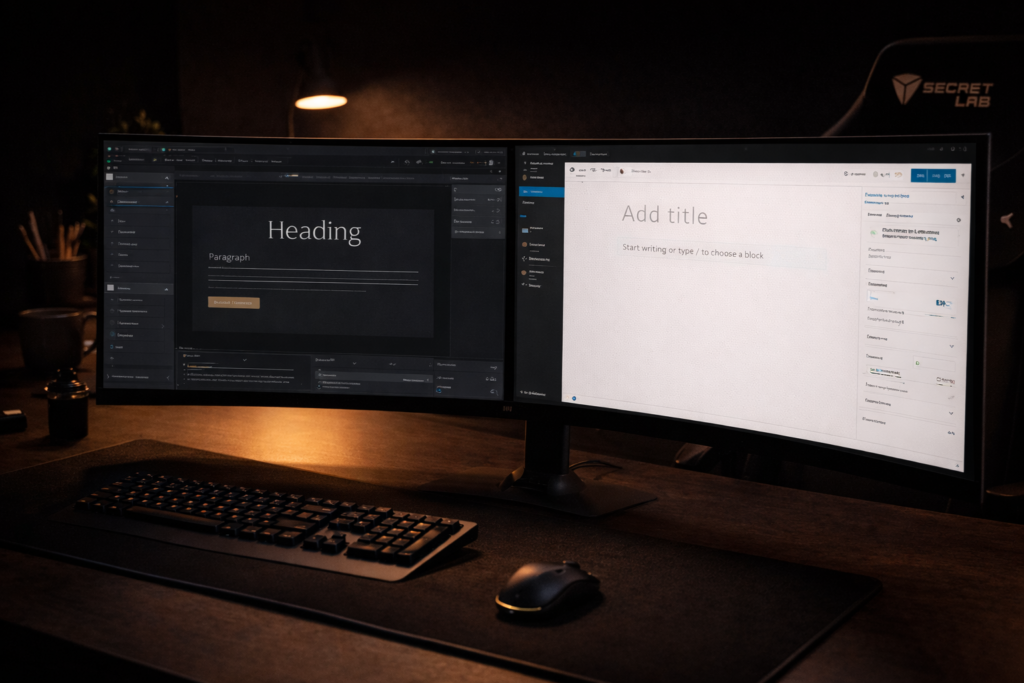
Every SEO guide you will find online was written for generic websites. Almost none of them account for how Showit actually works under the hood. And because most photography SEO advice ignores Showit completely, photographers on that platform are making mistakes that no amount of keyword research or content creation can overcome. I have audited dozens of Showit sites and found the same problems on almost every one.
A site can look perfect in the browser and be completely invisible to Google.
The Most Damaging Showit SEO Issue Nobody Talks About
When you add text to a Showit page using a native Text element, Showit renders that text inside an HTML structure that Google’s crawler often cannot read. The text looks perfect to a human visitor. But when Google’s bot visits the page, that text is effectively invisible. This means photographers can have service pages with beautifully written, keyword-optimized copy that Google has never read. Their pages look content-rich to visitors. To Google they are empty.
The Fix: Switch to a DIV embed element for any content you want Google to read. In Showit, add an embed element, set the type to DIV, and write your content inside using standard HTML paragraph and heading tags. This single fix has moved pages that had been stuck for years.
How to Audit Your Showit Site
Type cache:yoursite.com/your-page-url into Google. What you see in the cached version is roughly what Google read when it last crawled the page. If the cached version shows little or no text content despite your page having extensive copy, your Text elements are not being crawled. Fix every service page, every location page, and every page with SEO-critical content.
Showit and WordPress Working Together
Showit pages handle your service pages, location pages, homepage, and about page. These are configured in Showit’s page settings where you set the SEO title, meta description, and canonical URL. Every Showit page needs these fields filled in manually. Showit does not generate them automatically. WordPress pages handle your blog, configured using Yoast SEO. Showit generates a sitemap at yoursite.com/sitemap.xml. Yoast generates a separate sitemap at yoursite.com/blog/sitemap_index.xml. Submit both to Google Search Console. Also compress every image before uploading. Tools like Squoosh or TinyPNG reduce file sizes by 60 to 80 percent with no visible quality loss.

Chapter 10: Tracking Your Rankings and Knowing What’s Working
My first approach to tracking rankings was the least scientific method possible. I Googled myself. The problem is that Google personalizes search results. When you search from your own device, Google knows your browsing history and the fact that you visit your own site regularly. The results it shows you are not the same results it shows a stranger in a different city. Real tracking requires real tools. The good news is that the most important one is free.
Google Search Console: Your Most Important SEO Tool
Search Console shows you exactly what Google sees when it crawls your site, which keywords are triggering your pages to appear in search results, and how many people are clicking through. The Performance report shows four core metrics: total clicks, total impressions, average position, and average CTR. In the Queries tab you will see every keyword your site has appeared for. Keywords where you are appearing at positions 8 through 15 are your best ranking opportunities. A targeted improvement can move a page from position 12 to position 4 with relatively modest effort.
How Often to Check and What to Look For
Monthly is the right cadence for most photographers. The most common misinterpretation is seeing positions move without a corresponding traffic increase and concluding that SEO is not working. Positions moving is the leading indicator. Traffic follows positions with a delay, sometimes several weeks, sometimes a couple of months. Stay patient.
Your Baseline: Identify your five most important keywords. Check their current positions in Search Console. Write them down with today’s date. Every month you come back and compare against it. That simple habit tells you more about the health of your SEO than any dashboard or tool you could buy.
For daily keyword tracking, set up a SEMrush Position Tracking campaign. Add your 10 to 15 most important keywords and two or three local competitors. SEMrush will show you every day exactly where you rank and how you compare.

Chapter 11: The 90-Day Action Plan
Everything in this guide is useful. None of it matters until you do something with it. The biggest obstacle photographers face after learning about SEO is overwhelm. There is a lot to fix, a lot to build, and no obvious starting point. This chapter removes that excuse.
The photographer who executes 80 percent imperfectly beats the one waiting to do 100 percent perfectly every single time.
Days 1 to 7 — Foundation
- Set up Google Search Console. Verify your property. Submit both your Showit sitemap and your WordPress sitemap. Note the current positions of your five most important service pages.
- Check your Google Business Profile. Confirm your name, address, and phone are exactly correct. Fill in every empty field. Add your services with descriptions. Upload at least ten photos.
- Run a NAP audit. Search your business name and compare how your information appears across every directory you find. Fix every inconsistency.
Days 8 to 21 — Technical Fixes
- Check the cache of your top service pages. Rebuild any service page content sections using DIV embed elements instead of Text elements.
- Update the SEO title and meta description for every service page. Keyword first, location second, brand third.
- Verify the H1 on each service page contains your primary keyword. Expand any service page under 800 words. Add FAQ sections to your top three service pages. Update image alt text across all service pages.
Days 22 to 42 — Schema and Keyword Map
- Add LocalBusiness schema to your homepage. Add Service schema to each service page. Add FAQPage schema to every page with a FAQ section. Test every page in Google’s Rich Results Test.
- Build your keyword map. List every service and every city. Assign one primary keyword to each combination.
- Audit your existing blog content. Flag posts that overlap with service page keywords. Implement canonical tags on any competing posts.
- Build your content calendar for the next three months. Twelve posts, each assigned a keyword, a service page to link back to, and a publish date.
Days 43 to 84 — Build and Publish
- Build location pages for every primary market you serve. Each page needs 800 words minimum, a unique H1, proper meta fields, and internal links to your service pages.
- Publish two to three blog posts per month. Every post keyword-assigned, every post linking back to a service page.
- Publish two GBP posts per month minimum. Ask every client for a Google review with a direct personal ask at session delivery. Build this into your standard workflow.
Days 85 to 90 — First Review and What Comes Next
Pull your Search Console Performance report for the past 90 days. Check your five primary keywords. Compare their current positions against the baseline you recorded on Day 1. The keywords that moved confirm the system is working. The keywords that did not move tell you where to focus next. SEO is not a project with an end date. It is a system you run. The photographers who dominate their local search results are the ones who built the habit of doing it consistently, month after month, while their competitors stopped. You now have the system. The only thing left is to use it.
If you want someone to implement this for you, one-on-one, live inside your actual website, that is what the Belman & Co. Visibility Audit is for. A complete audit of your current SEO situation, a prioritized action plan specific to your site and your market, and a roadmap for everything that follows. Apply at belmanandco.com.
Ready for the Next Step?
If you have read this guide and want someone to implement this for you, one-on-one, live inside your actual website, that is what the Belman & Co. Visibility Audit and Intensive sessions are for. No retainers. No dependency. You leave owning your SEO completely and permanently.